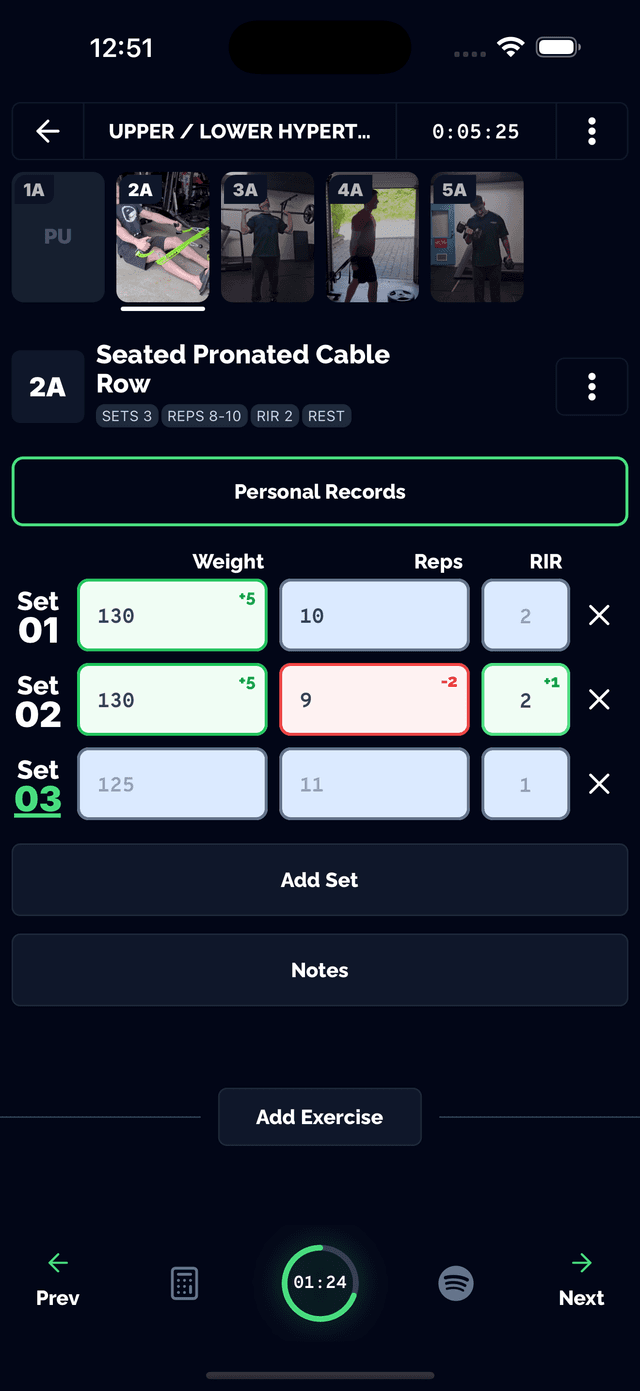
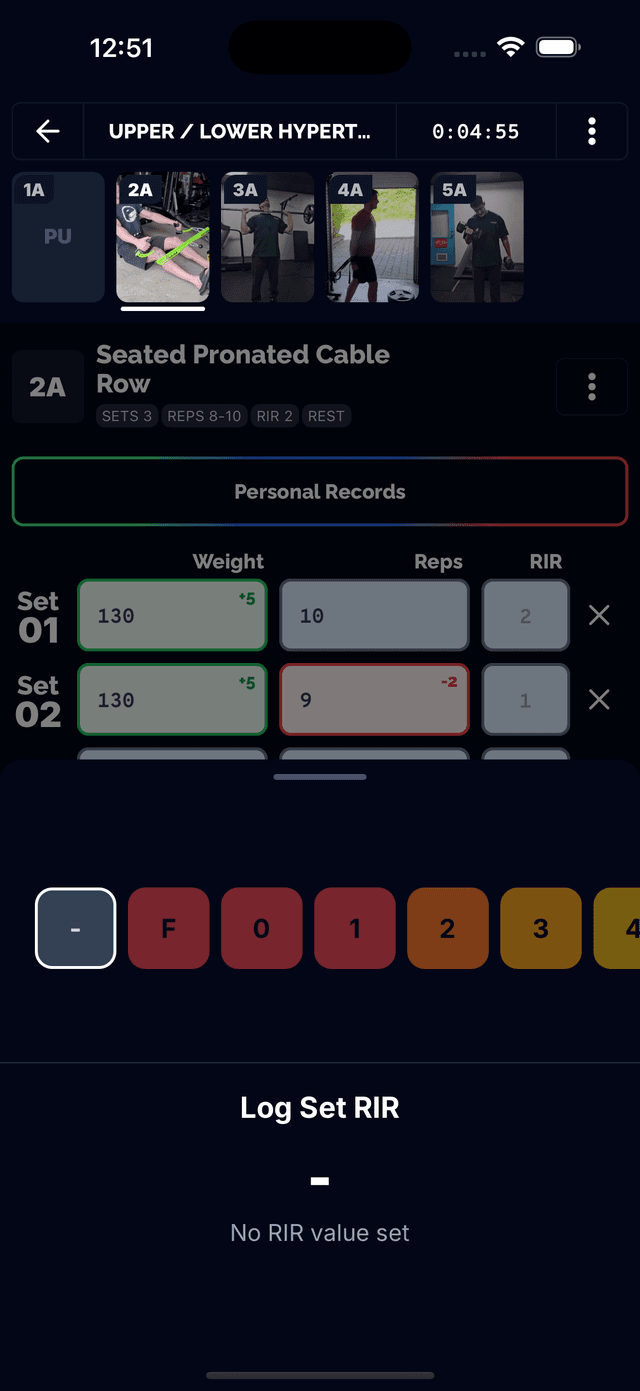
Log Every Set In Seconds
Tap a set number to autofill your previous weight, reps, and RIR, then adjust from there. Unilateral exercises get separate rows and separate rest periods for each side, not a shared entry.
- Weight, reps, and optional RIR (Reps in Reserve) per set
- One-tap autofill from your last logged set for that exercise
- Independent left/right tracking for unilateral movements
- Per-set notes and a personal-record celebration when you hit one
Feature screenshot
A Rest Timer That Keeps Up
Pick a quick duration or set a custom one, watch a live countdown, and adjust on the fly without losing your place in the workout.
- Quick-pick durations from 30 seconds to 5 minutes, or a custom time
- Live countdown circle with plus/minus 15-second adjustments while running
- Runs in the background so you can check other exercises mid-rest
- Starts automatically after you log a set
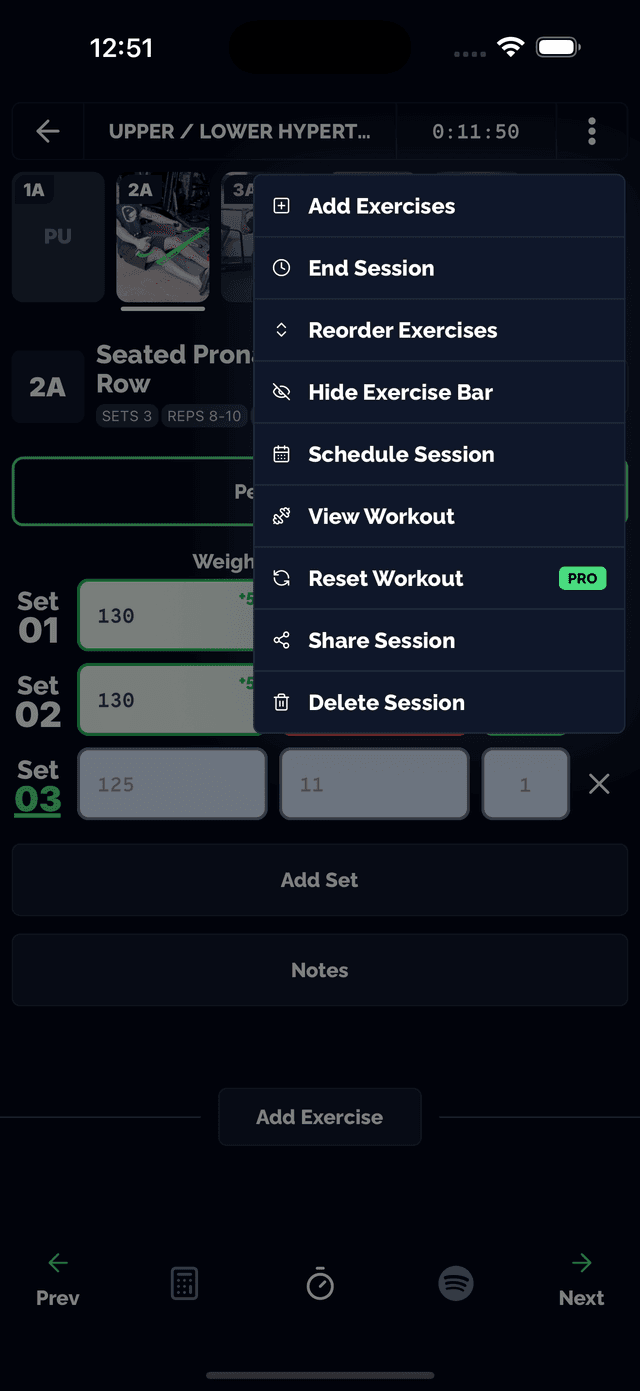
A Calculator Suite Built Into The Set Screen
Eight lifting calculators live in the same bottom tab as your set logging, so you never have to leave your workout to do math.
- Plate-loading breakdown for barbells and machine stacks
- Percentage-of-1RM and warmup-set generator
- 1RM estimate using the Brzycki formula, plus weight and unit conversion
- Quick volume calculator for the set you just finished
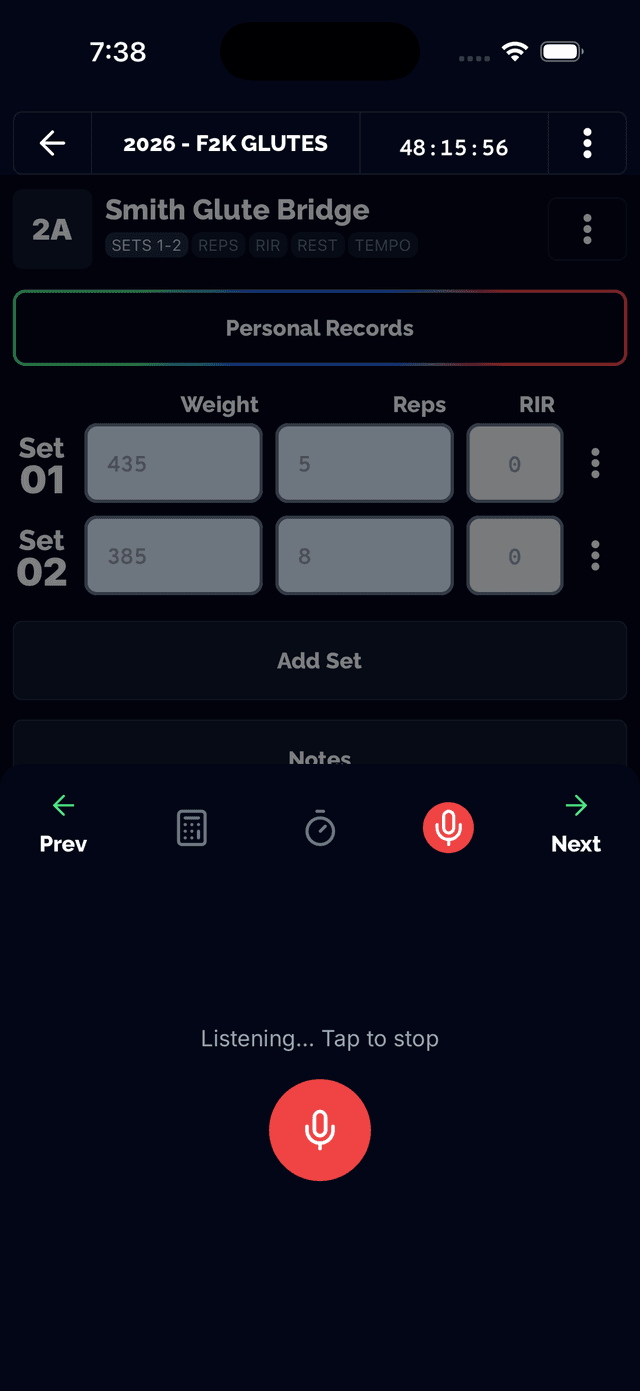
Log A Set By Saying It
Tap to talk and say your set out loud — Tracked transcribes it straight into the weight and reps fields for the exercise you're on.
- Tap-to-talk mic on the set-logging screen
- Speak a set like "135 for 8" and see it transcribed into the fields
- Recording, transcribing, and confirm states so you always see what got logged
- A Pro feature for hands-free logging between sets
Every Set Feeds Your Personal Records
Set logging isn't just a log — it's the data behind your PR tracking, auto-regulated predictions, and muscle-group analytics.